
Video
概述[视频]
<Video /> 是视频组件,通过设置属性可以实现视频资源的下载与播放。
示例代码
import cooApp, { basicWidgets } from 'coolink'

const { Audio } = basicWidgets

export default class VideoDemo extends cooApp.Widget {
  render () {
    return {
        <Container>
            <VideoView
                ref={(e) => this.videoRef = e}
                play_url={this.state.play_url}
                auto_play={this.state.auto_play}
                loop_play={this.state.loop_play}
                onChange={this.onChangeVideo}
            ></VideoView>
        </Container>
    }
  }
}
组件属性
| 属性名 | 类型 | 说明 | 默认值 |
|---|---|---|---|
| play_url | string | 视频播放链接 | 不为空 |
| auto_play | boolean | 是否自动播放 | false |
| loop_play | boolean | 是否循环播放 | false |
| onChange | Function | 加载完成、播放进度等触发状态改变时执行 | 不为空 |
样例
export default class VideoDemo extends cooApp.Widget {
    state = {
        // 通用数据
        play_url: 'http://v-play.coocaatv.com/0915/zhuluojishijie2.mp4',
        // 手机端数据
        auto_play: true,
        loop_play: false,
        duration: 0,
        position: 0,
        playStatus: 1
    }
    onChangeVideo = (res: any) => {
        // Util.log("lxw onChangeVideo", res.value.duration, res.value.position);
        if (res.value.duration) {
            this.setState({ duration: res.value.duration })
        }
        if (res.value.position) {
            this.setState({ position: res.value.position })
        }
    }
    render () {
        return {
            <Container>
                <VideoView
                    ref={(e) => this.videoRef = e}
                    play_url={this.state.play_url}
                    auto_play={this.state.auto_play}
                    loop_play={this.state.loop_play}
                    onChange={this.onChangeVideo}
                ></VideoView>
            </Container>
        }
    }
}
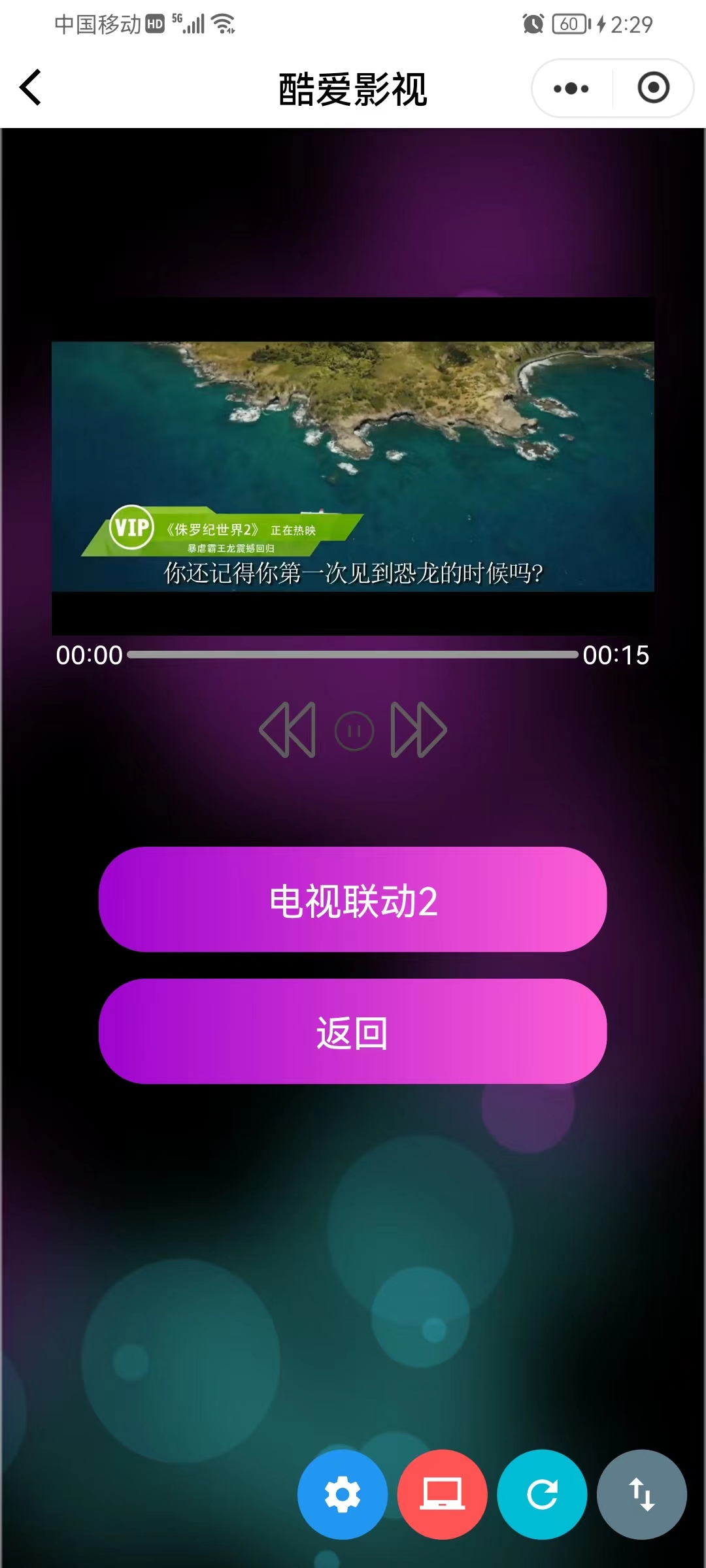
上述例子的效果图:
©深圳市酷开网络科技股份有限公司 ICP备案号粤ICP备06098778号